

How to Build an Arduino Obstacle-Avoiding Robot
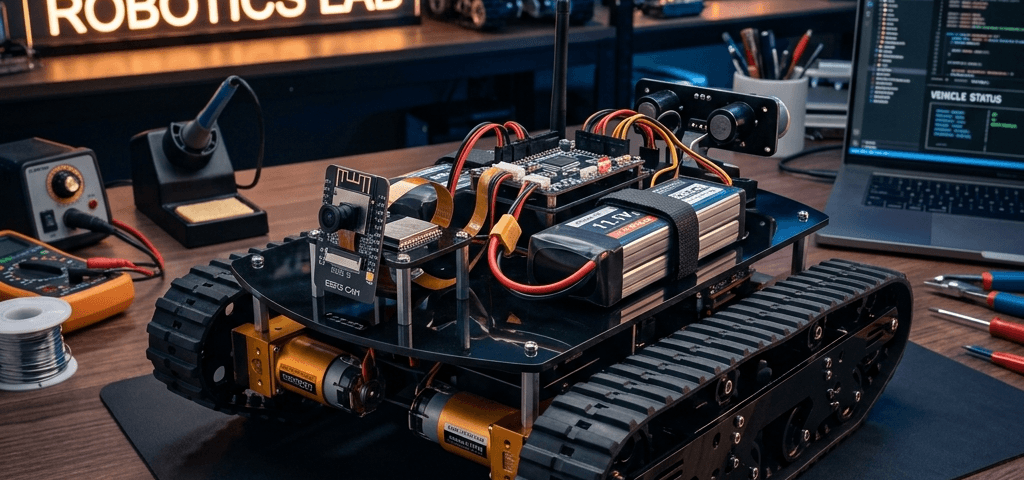
Autonomous mobile robots are one of the most exciting projects you can build as a maker. In this comprehensive guide, we will design and construct a wheeled robot that automatically detects obstacles in its path, scans its surroundings, and decides on a clear direction to continue driving.
Introduction & Concept
The obstacle-avoiding robot operates on a simple feedback loop: it moves forward while monitoring the distance to any objects in front of it. When an obstacle is detected within 20cm, it halts, triggers the SG90 servo motor to rotate the ultrasonic sensor to the left and right to inspect alternative paths, and then executes a turn toward the side with more clearance.
Required Electronic Components
You can purchase all the required components directly from our shop through the links below:
| Component Name | Purpose | Store Link |
|---|---|---|
| Arduino Uno R3 | Main microcontroller brain to run the navigation code. | Buy Arduino Uno |
| HC-SR04 Ultrasonic Sensor | Emits high-frequency sonar pulses to detect distance to obstacles. | Buy HC-SR04 Sensor |
| SG90 Micro Servo Motor | Sweeps the sensor left and right to inspect route options. | Buy SG90 Servo |
Wiring Connections Diagram
Configure your wiring connections according to the schematic mapping below:
    +------------------+         +----------------------+
    |   Arduino Uno    |         | HC-SR04 Ultrasonic   |
    |                  |         |                      |
    |               5V |-------->| VCC                  |
    |              GND |-------->| GND                  |
    |           Pin 12 |-------->| Trig                 |
    |           Pin 11 |<--------| Echo                 |
    +------------------+         +----------------------+
             |
             |                   +----------------------+
             |                   |  SG90 Servo Motor    |
             |                   |                      |
             +-- 5V ------------>| VCC (Red)            |
             +-- GND ----------->| GND (Brown)          |
             +-- Pin 10 -------->| Signal (Orange)      |
                                 +----------------------+
Wiring Connections Table
| Component Pin | Arduino Pin | Voltage/Ground |
|---|---|---|
| HC-SR04 VCC | 5V | Power |
| HC-SR04 Trig | Pin 12 | Digital Output |
| HC-SR04 Echo | Pin 11 | Digital Input |
| SG90 Servo Signal (Orange) | Pin 10 | PWM Output |
Step-by-Step Assembly Guide
- Chassis Setup: Assemble the mechanical frame and secure the DC gear motors to the chassis.
- Mounting the Servo: Install the SG90 Servo at the front center of the robot. Attach the bracket adapter for the HC-SR04.
- Mounting the Sensor: Insert the HC-SR04 ultrasonic sensor into the bracket assembly.
- Wire Integration: Use jumper wires to connect the sensor and motors back to the breadboard and the Arduino Uno.
Arduino Source Code
Copy and upload the navigation code below to your Arduino Board using the Arduino IDE:
#include <Servo.h>

const int trigPin = 12;
const int echoPin = 11;
Servo myservo;

void setup() {
  pinMode(trigPin, OUTPUT);
  pinMode(echoPin, INPUT);
  myservo.attach(10);
  myservo.write(90); // Face straight
}

long getDistance() {
  digitalWrite(trigPin, LOW);
  delayMicroseconds(2);
  digitalWrite(trigPin, HIGH);
  delayMicroseconds(10);
  digitalWrite(trigPin, LOW);
  long duration = pulseIn(echoPin, HIGH);
  return duration * 0.034 / 2;
}

void loop() {
  long distance = getDistance();
  if (distance < 20) { // Obstacle closer than 20cm
    // Stop motors, sweep servo to scan environment
    myservo.write(30);
    delay(500);
    long distanceRight = getDistance();
    myservo.write(150);
    delay(500);
    long distanceLeft = getDistance();
    myservo.write(90);

    // Choose direction based on wider clearance
    if (distanceRight > distanceLeft) {
       // Code to turn robot right
    } else {
       // Code to turn robot left
    }
  }
  delay(100);
}